InstaDoodle vs Vyond (2026): Solo Speed vs Team Control
InstaDoodle is built to get one creator from script to a doodle explainer quickly. Vyond is built for teams that need templates, brand control, and a shared review process. The right answer depends on which problem you actually have.
Buy speed for one creator; buy control for a team
If you are a solo course creator with a script and a deadline, InstaDoodle is the more rational first purchase. If you are producing lessons for a company, school district, or agency with multiple reviewers, Vyond’s template and brand controls can justify the higher price.
The mistake is buying Vyond for a first solo course because it looks more “professional,” then paying for seats and governance you do not use. The opposite mistake is forcing a team into a solo tool and losing brand consistency.
One-line rule: one creator, one lesson, tight budget → InstaDoodle. Multiple creators, repeated series, brand review → Vyond.
InstaDoodle vs Vyond at a glance
Swipe the table sideways to see all columns.
| Factor | InstaDoodle | Vyond |
|---|---|---|
| Primary user | Solo creator, teacher, small team | Team, agency, enterprise |
| Core workflow | Text or prompt to doodle scene | Template-led scene building with brand controls |
| First-cut speed | Fast | Slower to set up |
| Visual range | Doodle / whiteboard style | Polished cartoon, whiteboard, and corporate styles |
| Brand control | Limited | Strong |
| Entry price | $27 one-time promo; $117 normal | $99/mo or $699/year |
| Refund | 60 days, vendor-stated | Generally non-refundable |
| Best fit | Fast, low-cost lesson video | Repeated series with a team review process |
Vyond Professional is $199/month or $1,199/year. Enterprise and Agency plans are annual-only. Confirm all pricing on the vendor’s plans page.
One tool removes steps; the other adds governance
InstaDoodle: remove the blank canvas
The workflow starts with your script or prompt. You generate the scene, adjust timing and voiceover, and export. That removes the blank-canvas problem that stops most solo creators from finishing a first lesson video.
What you give up is control. The output stays inside the vendor’s doodle system, and you are not managing a shared brand library. For a single course, that is usually an acceptable trade.
Vyond: build a reusable system
Vyond is more deliberate. You work from templates, build scenes, and manage brand elements. That is slower for a first video, but faster once you have a series and multiple people producing it.
The value is consistency: a team can share a visual language, review work, and produce episodes without every creator inventing a new style. If that is your situation, the higher subscription can be cheaper than inconsistent output.
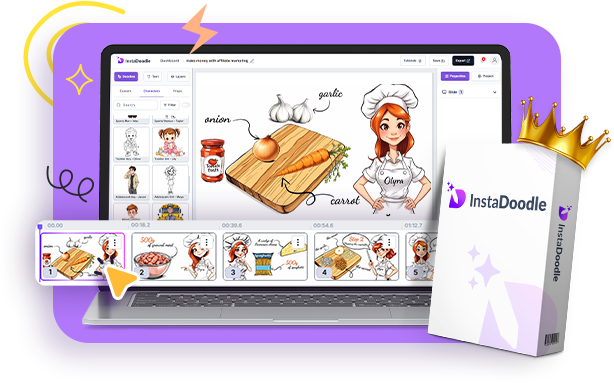
A $27 promo and a $99/month team plan are not the same purchase
InstaDoodle’s current sales page presents a $27 one-time Black Friday promo and a $117 normal price. The page also states a 60-day money-back guarantee. Promo terms can change, so confirm the amount and inclusions at checkout.
Vyond’s Starter plan is $99/month or $699 billed annually. Professional is $199/month or $1,199 billed annually. The 14-day trial is useful for checking the workflow, but trial exports carry a watermark. Vyond’s terms say paid subscription fees are generally non-refundable, and annual plans do not refund the current term.
That refund difference matters. A solo creator can test InstaDoodle for two months and still recover the purchase if the workflow does not fit. A Vyond annual commitment is much harder to undo.
Cost check: compare the total cost of the videos you will actually finish this quarter. A $27 promo plus two hours of work can beat a $99/month plan plus a two-week onboarding.
Check the current InstaDoodle price
Affiliate link. Price and guarantee are vendor-stated; confirm at checkout.
Which one should you pick?
Swipe the table sideways to see all columns.
| Your situation | Start with |
|---|---|
| Solo creator making a first course on a tight budget | InstaDoodle |
| Teacher making lesson intros and short explainers | InstaDoodle |
| Team with brand guidelines and multiple reviewers | Vyond |
| Agency producing a recurring series for clients | Vyond |
| You need both speed and a formal brand system | Vyond — budget for the learning curve |
Pick the tool that gets one real lesson finished. Then decide whether the workflow deserves a team subscription.
Common questions
Is InstaDoodle better than Vyond for course creators?
For a solo creator who needs a short lesson video quickly, InstaDoodle is the lower-cost, faster path. For a team that needs brand controls, collaboration, and a shared template system, Vyond is the better fit.
How much does Vyond cost in 2026?
Vyond Starter is $99 per month or $699 billed annually. Professional is $199 per month or $1,199 billed annually. Enterprise and Agency plans are annual-only. Confirm current pricing on Vyond’s plans page.
Does Vyond have a refund?
Vyond’s terms say paid subscription fees are generally non-refundable, and annual plans do not refund the current term. The 14-day trial is useful, but trial exports carry a watermark.
Can I use InstaDoodle for a team course?
It can work for a small team, but it is not built around brand governance and multi-seat review. Confirm seat access, commercial rights, and export limits before standardizing on it.
Which is faster for a first lesson video?
InstaDoodle is faster for a first cut because it starts from a script or prompt. Vyond is faster once you already have a reusable template and brand system in place.
Related: InstaDoodle review · InstaDoodle vs Doodly · InstaDoodle alternatives · video cost · Vyond alternatives · Doodly alternatives · video templates · whiteboard workflow · video tool stack · hire vs software · vs Animaker